

Tech · SSDs · offline backups
The drawer changes the job
Before repurposing a drive, check what its specification actually promises while it is disconnected.
- Read the storage conditionsAn enterprise label does not establish how long a disconnected drive will preserve your files.
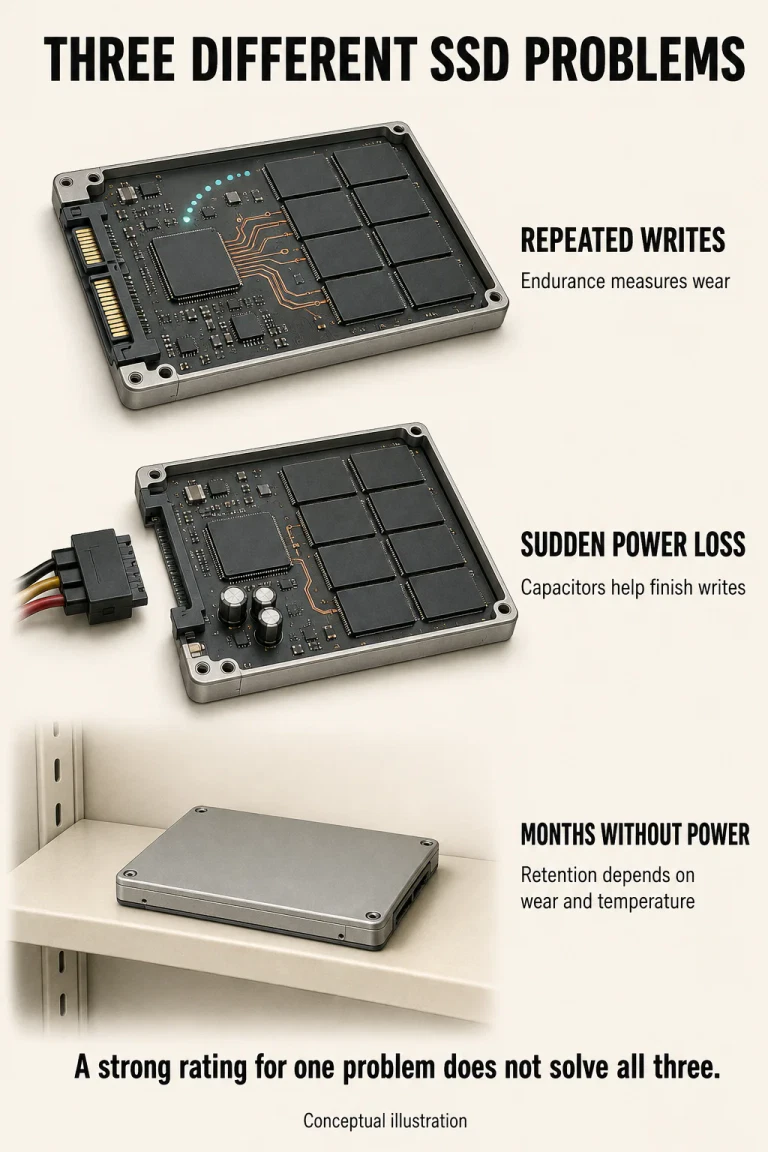
- Keep the specifications separateWrite endurance, power-loss protection and unpowered retention answer different questions.
- Treat the backup as a maintained copyDocument its condition and test recovery instead of inventing a universal refresh ritual.
A retired enterprise SSD can look like an excellent home for an archive. It was built for demanding work, has a substantial metal enclosure and may advertise an enormous write-endurance figure. Put it in a drawer, however, and you have given it a different assignment.
The useful question is no longer how hard it can work in a server. It is what evidence supports leaving these particular files on this particular drive without power. A surprising comparison in the standards explains why those questions cannot be merged.
The shorter rating comes with different conditions
Kingston’s December 2024 explainer reproduces JEDEC’s JESD218A class table with permission. Its conditions pair powered use with subsequent unpowered retention:
JESD218A class comparison
Read both the temperature and the duration
Client class
Powered use
40°C · 8 hours/day
Unpowered retention
30°C · 1 year
Enterprise class
Powered use
55°C · 24 hours/day
Unpowered retention
40°C · 3 months
This is not evidence that a laptop SSD lasts four times longer in the same drawer. The workloads, active-use conditions and retention temperatures differ. Nor is the table a timetable announcing when every new drive loses its files.
The three-month number begins at a wear limit
Dell’s PowerEdge guidance, updated in May 2026, supplies the crucial context: its enterprise retention requirement applies at the maximum rated write-endurance state. It also identifies wear and temperature as relevant factors. A used drive’s history therefore matters; elapsed ownership alone does not describe that history.
A qualification requirement answers whether a device meets a defined test. Predicting the remaining life of your stored copy is a different claim. Knowing the first does not give you enough information to calculate the second, particularly when previous use and storage conditions are unknown.
A capacitor protects the final write
Kingston describes power-loss circuitry that temporarily supplies energy to complete outstanding writes when power disappears. That is valuable protection during an interruption. It does not amount to a battery that keeps the SSD maintained throughout storage. The dramatic instant when a cable disconnects and the quiet months afterwards are different engineering situations.
One product sheet makes the distinction concrete
The 2023 Solidigm D5-P5336 brief lists 65.2 petabytes written for its 61.44 TB version, under the document’s endurance assumptions. In a separate row, it specifies three months of power-off retention at 40°C. Both can be true of the same product.
The first quantity concerns writing; the second describes retention under a stated condition. The large number does not cancel the smaller one. This is a documented model example, not a recommendation to buy that drive or a claim about the latest capacity in the product family.
A safe room is part of the storage decision
Solidigm’s August 2026 maintenance guidance treats temperature and power interruption separately, noting that storage temperature can affect retention. The practical implication is to record where the backup actually lives, rather than assume that a drive’s operating-temperature range promises the same retention throughout that range.
An archive plan that says “spare SSD” is missing useful information. “This model, in this location, with this maintenance instruction and a recorded recovery test” is a plan somebody else could check. The difference is documentation, not an expensive-looking enclosure.
Disconnecting a backup does not finish the job
There is a legitimate reason to keep a backup offline. The CISA-led StopRansomware guide recommends offline, encrypted backups because attacks can target accessible copies. It also calls for regular tests of availability and integrity. Isolation and recoverability are both requirements; one does not substitute for the other.
Consider two hypothetical owners with identical drives. One deletes the original after copying everything and labels the drawer “archive.” The other retains an independent copy, records the exact model and successfully restores selected important files elsewhere. We have not measured which SSD will fail first. We have identified which owner has evidence and another route to recovery.
Before assigning a retired SSD this role, answer four concrete questions:
- Which device is it? Record the exact model and capacity, then locate its power-off retention specification rather than substitute a family’s marketing headline.
- What conditions can you establish? Keep available wear information and note the storage environment. Treat missing history as uncertainty, not proof of a fresh drive.
- What maintenance is documented? Find instructions for the actual device or system. A forum’s brief power-on ritual is not a verified procedure for your model.
- Can the backup restore what matters? Check important files through a separate recovery attempt and retain another independent copy. A successful copy notification is not that test.
Dell’s own recommendation shows why a universal ritual is unsafe: for the enterprise products covered, it specifies power-up every 2.5 months for at least three weeks to allow background work, with an alternative read operation covering used NAND. Do not apply that schedule indiscriminately to a consumer drive or assume briefly connecting one performs equivalent maintenance.
Our DNA-storage explainer addresses a different problem: prospective institutional archives over much longer horizons. For the SSD already in your hand, the next useful improvement is less futuristic. Establish which promise applies, preserve another copy and prove you can retrieve the files.
Questions about disconnected SSDs
Does three months mean the files vanish on the next day?
No. A specified retention condition is not a universal countdown for every individual drive. Avoid predicting an exact loss date from that number.
Is an enterprise SSD automatically worse for backup?
No. The class comparison uses different conditions. Suitability depends on the proposed use and the particular device’s documented requirements, not the label alone.
Does power-loss protection replace backup testing?
No. Completing a write after an interruption does not demonstrate that your archive remains recoverable later. Keep those checks separate.
Specifications and preservation guidance
Five primary sources checked 8 September 2026
- Kingston — Enterprise versus Client SSD, December 2024
- Dell — PowerEdge data-retention guidance, 14 May 2026
- Solidigm — D5-P5336 product brief, 2023, page 3
- Solidigm — SSD maintenance guidance, 25 August 2026
- CISA and partners — StopRansomware Guide, September 2023
This is an interpretation of published conditions, not a laboratory retention test. Manufacturer instructions remain scoped to their products. The hypothetical backup comparison is explanatory, not measured data.


